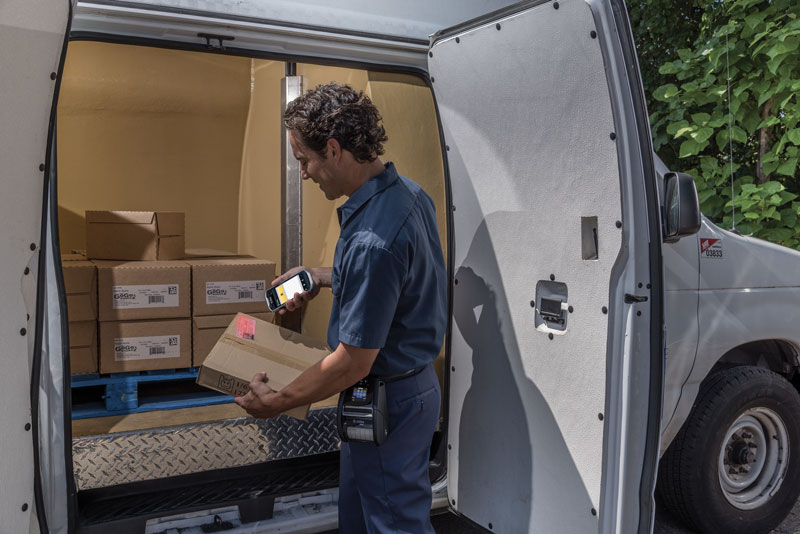
If you ever wonder how much value something has to your life, consider what happens when you lose it. The power goes out and suddenly you can’t get your Internet connection, use the microwave, television, or—oh no!—charge up your electronics. What do you do when you can’t find your phone? Stop everything! So, with the importance of all the gadgets, gizmos, and connections that keep your business running, how do you choose a technology partner company? Is it a provider, problem-solver, or partner? Avalon Integration has some suggestions. You have a lot of choices for a technology provider, so before you jump onto one—because it’s familiar or has great prices—stop and think about the role that this company is going to play.

The Provider

A Technology Partner providing help with various resources to clients

We hear this term used a lot, and there’s value to having a solid provider. This company is readily available to get you the products you need. They have a wide range of items to choose from and can fill your order promptly and accurately.

The Provider offers quick turnaround, maybe same-day shipping. That’s definitely valuable for those emergencies when you’re faced with downtime. The clock keeps ticking until you have the devices, supplies, or get things up and running.

This role also requires someone with in-depth product knowledge. You should be able to rely on them to find the specific thing you need, even if you don’t quite know it yourself. You can describe the features and functions you’re looking for, and the Provider’s knowledge of their inventory will quickly match you to the right selection.

Before choosing a Provider, learn the products they carry and the level of partnerships they maintain with the manufacturers because these connections impact the products you can access and the programs that your Provider can offer. Also, find out about policies for delivery, returns, special orders, and warranties.

The Problem-Solver

A Problem Solver helping a client with code

When you’re faced with a challenge and don’t have a palatable answer, you rely on a Problem-solver. Like a SWAT team, this company is called in to assess the issue and efficiently deliver a solution. You need a company that responds quickly and has the technical support in place to deal with your situation, both on-site and remotely.

A problem can be as simple as identifying why certain barcode labels aren’t printing correctly to deploying RFID to improve asset tracking or upgrading a network for better connections in a dynamic environment, like a warehouse, plant, or distribution center.

The Problem-solver is well-schooled in technology and agile enough to respond quickly when you call for help. A reliable Problem-solver has a diverse network of reliable resources to call on, like a well-stocked toolkit.

When choosing a Problem-solver, you need to know about that network. What can this company provide you to support the services you need? Learn how quickly you can expect a response and guarantees for the work provided.

The Partner

Technology Partner talking to clients in a meeting

A true Partner fulfills the roles of Provider and Problem-solver and more. While those are reactive sources, a Partner is proactive. Your technology partnership is built on trust in the company’s ability to understand your business as an individual, getting to know the processes and the people. The Partner invests in gaining this knowledge in order to offer suggestions, prevent problems, and guide you to achieve goals. A Partner opens your eyes to opportunities that you might not otherwise see.

For example, a Partner would have advised you of the importance of OS Migration and presented a strategy before you had to ask.

A Partner would visit your facility to explore how things are running, talk to the workers to gauge their productivity, and then give you suggestions for improvements that would deliver a rapid return on investment.

Take Your Pick for the Right Technology Partner!

At Avalon Integration, we focus on building lasting partnerships. We might start because you need a provider to get your products or services. But we hope you’ll soon discover that we are much more. Our team of experienced pros is committed to the company vision of proactively supporting our clients. We ask questions to make sure your technology is serving you to the best ability. We try to look ahead so that we can circumvent a problem before it escalates.

With Avalon Integration as your technology partner, you don’t have to ask if your devices come fully configured or with the latest version of the OS. You don’t need to wonder whether or not we can handle your wireless network growth or process challenges. That’s what we do. Pick up the phone and you’ll talk to a person—your partner.

We’re here for the long haul, an extension of your project team. Let’s get started now and talk about the partner that provides what you need, solves your problems, and proactively supports your goals.

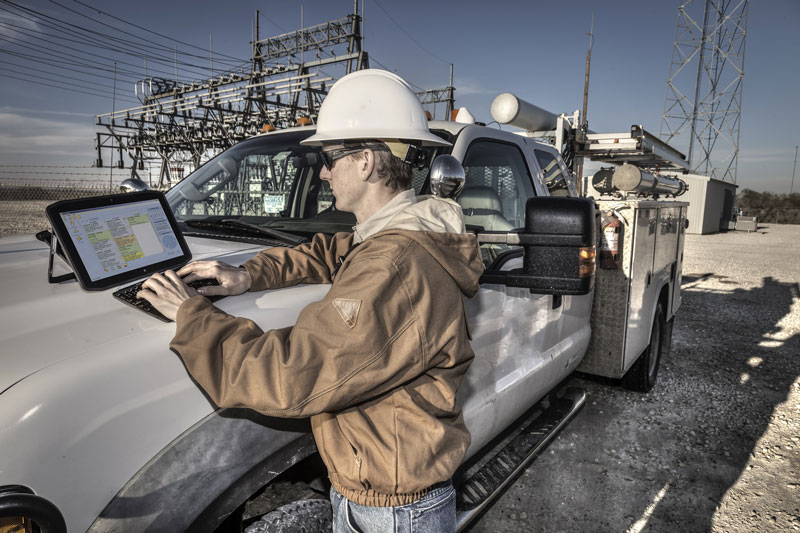
When tablets first emerged less than a decade ago, they were a consumer device, not quite ready for business use. It didn’t take too long though before being your own device (BYOD) expanded from smartphones to tablets. While good enough for general use in a workplace, moving into more challenging environments proved the consumer-grade tablet just couldn’t cut it. Well, we can now turn the table on tablets because the Zebra XSLATE R12 performs to a higher standard that is critical for enterprise use.

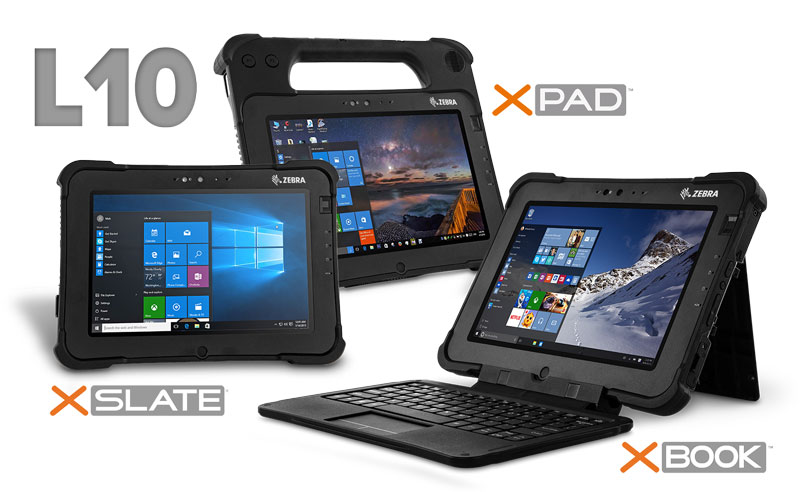
Zebra acquired the XSLATE R12 when it acquired its creator, Xplore, in 2018. The adoption also included the diverse L10 Series of rugged tablets: the XPAD L10, XSLATE L10, and XBOOK L10. Avalon Integration has put all of them to the test, and now we can share our findings on the XSLATE R12.

A Gutsy Choice

Zebra XSLATE R12 - Gutsy Choice

The XSLATE R12 is purpose-built to work harder than any tablet. Its chameleon-like design lets you convert from a conventional tablet to a notebook, with a magnetically-attached companion keyboard for those times when you want to type in your data. Or use a stylus or tap the screen, if that’s your preferred style.

The 12.5-inch display provides ample real estate for a good view of your screen, and the View Anywhere display is easy to view, well, anywhere—courtesy of the anti-reflective and anti-smudge glass and 1000-nit brightness. Corning Gorilla Glass 3 provides a tough surface that’s far more resistant to cracks and breakage than those delicate consumer tablets have. It’s all packaged with a magnesium-allow internal frame, rubberized enclosure, and IP54 sealing. Drop this super-tablet on a hard surface from 4 feet, bump it around in a service vehicle, and even spill water on the device. That’s not going to stop it. Yes, we tried.

So, we know the XSLATE R12 is rugged, but are there brains with this brawn?

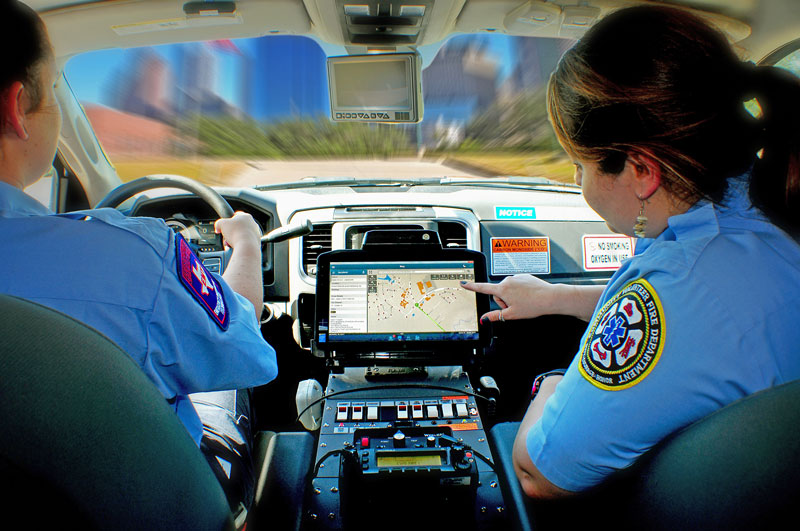
Zebra XSLATE R12 is built for emergency services

Absolutely.

This Zebra rugged tablet is driven by a seventh-generation Intel Core processor, so your mobile workforce isn’t sitting around waiting for downloads. The integrated SSD provides an extra layer of security that’s critical when device-sharing is happening. Just remove the drive and pass along the R12 to the next user. The fingerprint reader increases the device’s security even more.

Who Needs a Tablet This Tough?

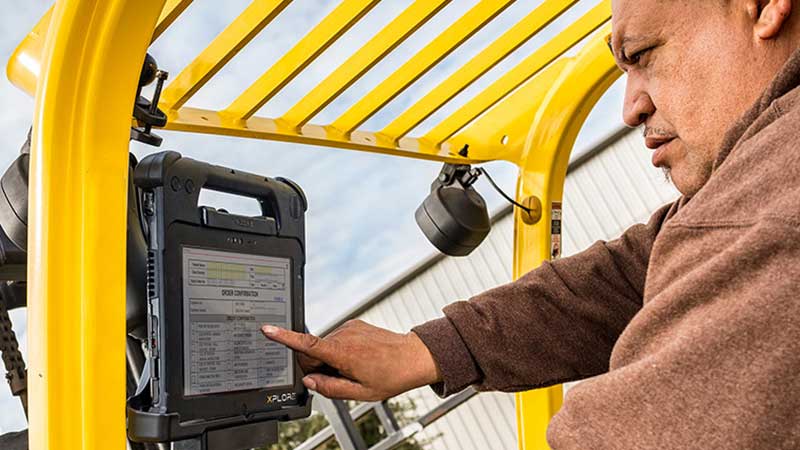
Zebra XSLATE R12 is the tough tablet for any environment

The XSLATE R12 goes from office to vehicle to fieldwork. One device with unlimited possibilities. We tested the tablet in a service van, using the mobile dock, and it was simple to snap in and then remove. It was also easy to enter information in the vehicle with a finger or stylus. The screen was easy to view, even at that late point in the day when the sun beats brightly through the windshield.

We hooked up a barcode scanner and high-frequency RFID reader by adding the SlateMate module. The scanner was easy to use and didn’t add bulk or interfere with the compact profile of the device.

The Zebra XSLATE R12 rugged tablet presents a great solution for tough tasks in a variety of industries:

  • Law Enforcement and First Response: Ticketing and eCitations, evidence documentation, investigations, emergency response planning, dispatch.
  • Manufacturing and Warehousing: Inventory management, safety audits, compliance reporting, project management, asset monitoring and control, logistics, dispatch and routing, dock and yard management, quality assurance, incident reporting.
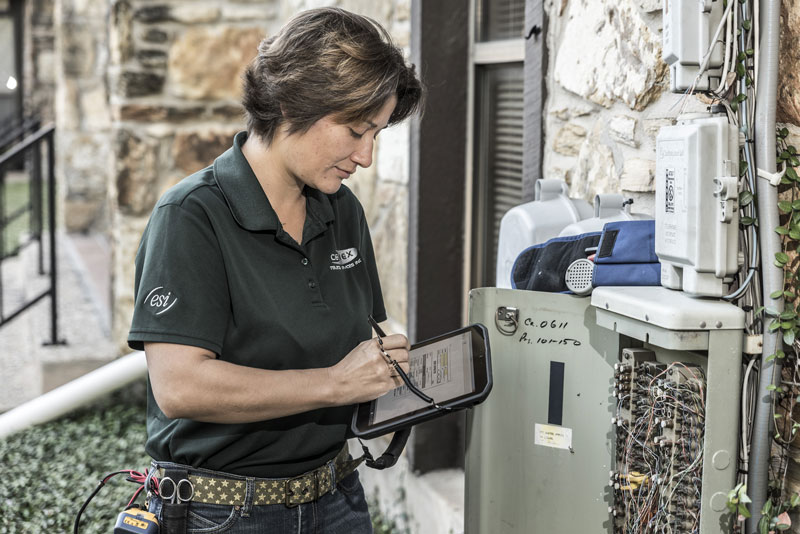
  • Field Service: Repair and service documentation, parts inventory control, field sales, payment processing, delivery confirmation, work orders, claims to process, estimating, invoicing, route reporting.
  • Healthcare: Electronic patient care reporting, remote patient monitoring, care team consultations, inventory management, help desk.

Avalon Integration and Zebra’s XSLATE R12 Is Here to Suit Your Every Need

Consumer tablets just aren’t designed to handle demanding conditions. The cost to repair, maintain, and replace them drives up the total cost of ownership. Choose a rugged tablet for a real return on investment. Avalon Integration is ready to show you the value of the Zebra XSLATE R12. Contact us to arrange a demo and learn more.

A tablet provides a great mobile tool. The larger screen allows for better visibility than a smartphone. When you’re using any mobile devices in a rough workspace—like a warehouse, plant, or in the field—drops, kicks, tumbles, dirt, dust, and even water inevitably attack your devices. But it’s ok to get tough with your tablet. Avalon Integration wants you to experience Zebra’s L10 Series choices in rugged tablets to see what you should expect from industrial-grade quality.

Zebras Rugged Tablet L10 Lineup

Last year, Zebra acquired a complete Rugged Tablet Library with a complete portfolio of purpose-built enterprise devices. The move represented a seamless fit, as Zebra Rugged Tablets has earned a reputation for intuitive, ultra-rugged devices that are engineered for unrelenting performance—which also describes the Zebra product line. As a long-standing Zebra Premier Partner, we were excited with the news that we now have even more solutions for our customers!

Let’s take a look at the L10 product platform, which offers a unique array of time-tested powerhouse tablets: the XPAD L10, XBOOK L10, and XSLATE L10.


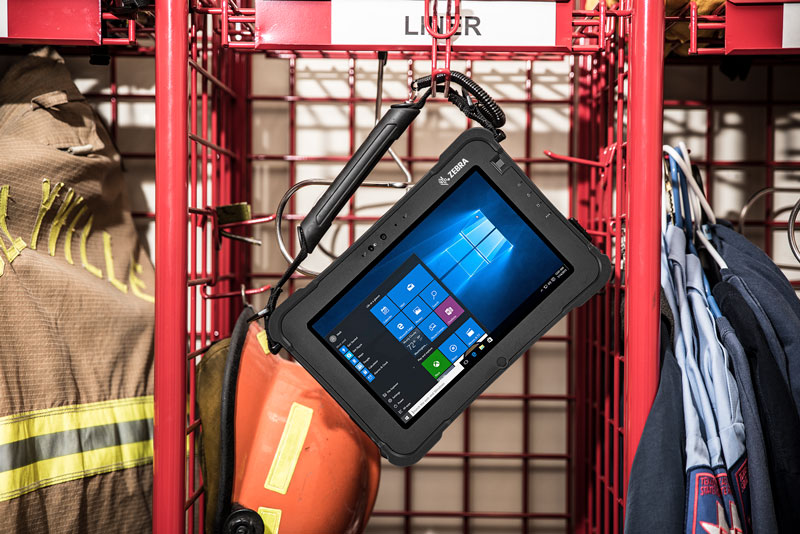
Zebra XSLATE L10 hanging with Public Safety Fire Equipment

The XSLATE L10 is a lightweight tablet but incredibly tough. The 10-inch slate-style tablet is easy to take with you, from the front office to the warehouse, loading dock, and into the field.

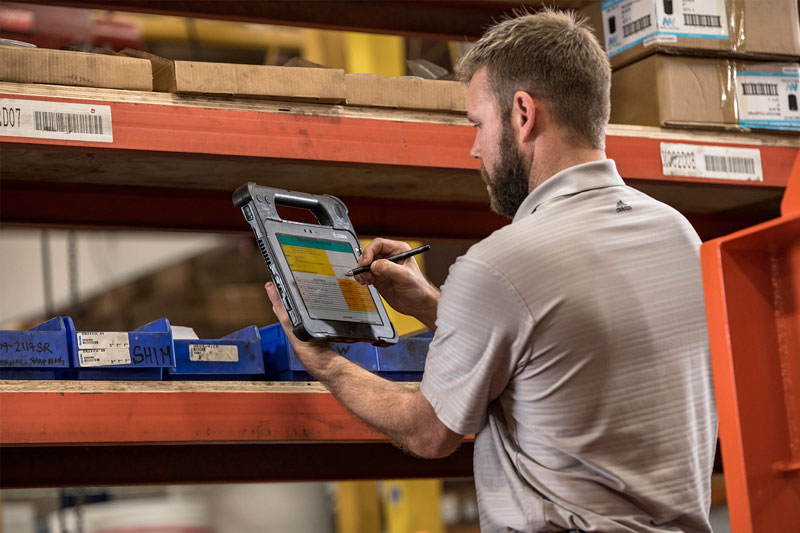
Man Taking Inventory with a Zebra XPAD

The XPAD L10 has a built-in hard handle, an ergonomic enhancement that adds to the portability. Choose the optional barcode reader in the handle for another smart feature. Then, grab and go!

Zebra XBOOK L10 - Mounted Forklift

The XBOOK L10 2-in-1 transforms from tablet to laptop with a companion keyboard, ideal for the user who prefers the familiarity of entering data this way.

3 Choices: The Same Security, Safety, and Smarts

Zebra L10 Product Family including the XPAD, XSLATE and the XBOOK

Each tablet in the Zebra L10 Series meets the tough MIL-STD 810G and features IP65 sealing, which protects against dirt, dust, and moisture. All three models easily passed a 6-foot drop test. C1D2 certification, which allows a device to be used in potentially hazardous settings, is pending.

The XSLATE, XPAD, and XBOOK also share a critical security feature. The removable SSD allows each user to protect their data. The integrated fingerprint scanner and smart card/CAC reader options add another layer of protection that’s important for any mobile device.

The L10 Series is engineered with 8th generation Intel Core processors and 4G LTE to deliver rapid-fire performance—up to 600% faster download and 300% faster upload speeds than previous models. Also Coming soon the L10 has received 3rd party certification that it is C1D2.

The integrated View Anywhere display provides easy viewing in any condition—like bright sunlight. The View Anywhere display also has the option of adding auto-sensing glove/wet touch technology, and an active digitizer.

Avalon Integration and Zebra’s Rugged Tablets to Suit every need

Avalon Integration can custom configure any of the Zebra rugged tablets to suit your specific needs. Every member of the L10 product family uses the same accessories, so no matter which devices you use in your business, the accessories support all of them. From the extended life battery (24-hour charge) and charger to the industrial and vehicle docks, they are designed to fit every L10 form factor.

You don’t have to compromise comfort and convenience for computing power in a tablet. Talk to us at Avalon Integration about a demo of the Zebra L10 tablets.

How much time and money are wasted searching for products, parts, tools, shipping containers, and even people? Add it up and then estimate how that time could instead contribute to productivity and profitability. No matter what you’re missing, Avalon Integration has found a solution. Find your assets in the cloud.

Let the Cloud Manage the Workflow
TC25 Cloud Manage Workflow with the help of MobiWorks

We’ve spent years working with warehouse operations, manufacturers, and distribution centers that didn’t realize how much these lost assets were costing them. In some cases, they paid to replace what they couldn’t find. More often, they paid for the labor to hunt them down.

One person realizes something is missing. He or she then asks around, disrupting other people’s workflow. Next thing you know, several workers have joined the hunt. The more valuable the asset, the larger the search group.

But remember, it’s not just time spent on the search. While your crew is on safari, the production line could be waiting, a customer’s shipment or service is delayed, a route is less efficient because it doesn’t have a full load, and so on.

When we discovered MobiWork software, our team realized we had the tools to cut out the waste here. We combined MobiWork for Asset Management with the enterprise-class rugged technology from Zebra. The result is the MWS Asset Management Solution Platform, a cloud-based approach to achieving real-time visibility of your enterprise assets.

This platform isn’t just for finding the misplaced assets. The solution enables total control over the use of them, no matter where you are. Connect to your dashboard from the cloud and here’s what you can do:

  • Proactively identify any tools or equipment that are approaching a maintenance deadline and schedule the service, avoiding downtime from responding too late.
  • Optimize routes to schedule, dispatch, and re-route with more efficiency, saving on fuel and labor costs.
  • Track your rental assets to make sure they’re maximizing usage and not sitting somewhere, draining profits.
  • Generate invoices and process payments in the field, reducing the payment cycle time.
  • Monitor labor to rein in job costs and increase workforce productivity
  • Easily generate work orders that comply with the approved format and terms.
  • Instantly update mobile inventory on vehicles as service techs use and sell parts on their routes.
  • Track shipments from origin to destination.
  • Produce up-to-date reports whenever and wherever you need them.

Pair the Right Software and Mobile Computer on a Cloud-based Platform

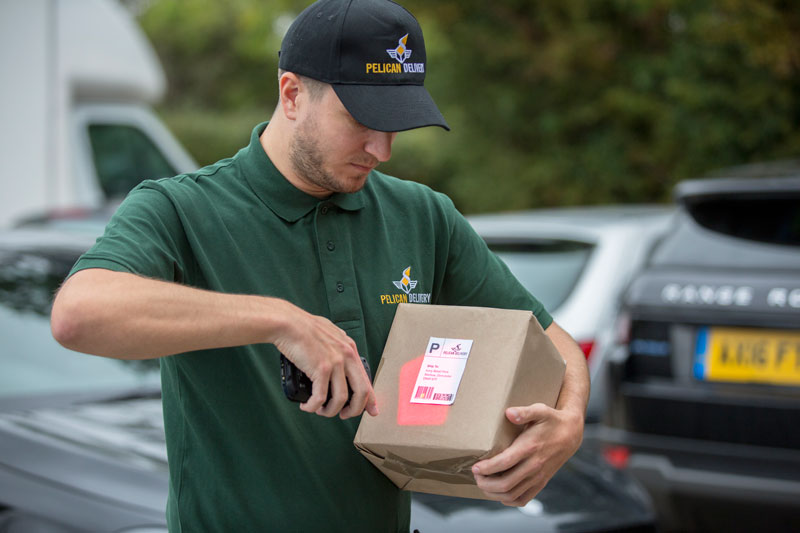
TC25 Courier Scanning a barcode with the help of Mobiworks

Pair the software with the right mobile computer for the job. A consumer-grade handheld won’t work in these environments. The average life of one of those tablets or smartphones is about six months. Compare that to three or more years with a purpose-built mobile computer, and you can probably see that the total cost of ownership is lower with the rugged version—as well as more secure.

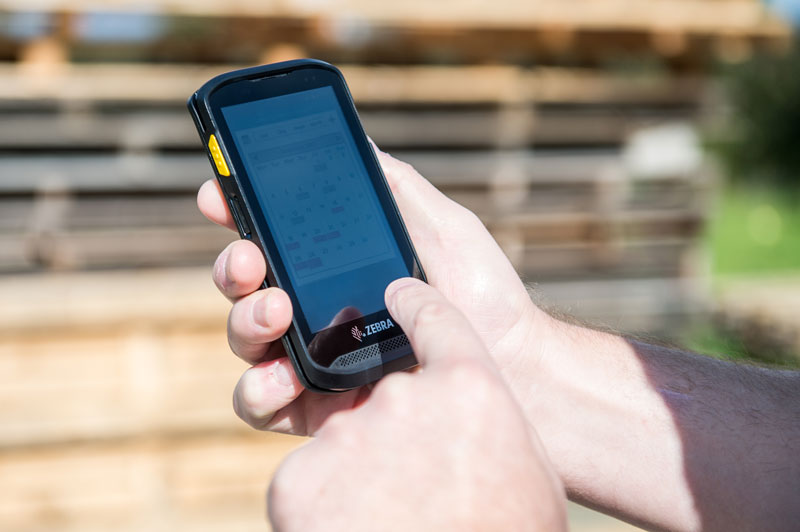
The Zebra TC25 touch computer is the right choice for Avalon Integrations MWS Asset Management Solution Platform. Although it resembles a consumer smartphone, this handheld computer is much tougher. Drop it onto a concrete floor from six feet and you don’t have to worry about a cracked screen, or worse. You can even dowse it with water, leave it bumping around in a service vehicle, and the TC25 keeps working.

The TC25 also comes pre-loaded with Mobility Extensions (Mx), a fortified Android with government-grade AES-256 data encryption. As a purpose-built mobile computer, it is designed for MDM. Your IT team can remotely locate, configure, install upgrades, and lock down the device—a definite plus for improving productivity. The TC25 features two cameras (one for video calling and a high-res for documentation) and a powerful scanning engine, so it delivers the power of a 1D/2D barcode scanner/reader.

Start Your Free Trial with MobiWork and Avalon Integration Today!

The search is over—both for assets and the right solution. Avalon Integration wants to give you a closer look so you can see first-hand how the MWS Asset Management Solution Platform benefits your operational efficiency. With just one monthly fee (no licensing cost), you also reduce your capital expense. And if you have a mobile computer to trade-in toward the purchase of a Zebra, you’ll get cash back, even if your trade-in is from a different manufacturer.

MobiWork and Avalon Integration Logos

Try it for yourself. Click here for a free trial and contact Avalon Integration to learn more about the ROI of the total asset management solution.

Whether you run one facility or multiples, you have high-value assets, and you probably don’t know where they all are. From misplaced inventory to equipment that has just disappeared, finding or replacing it all is costing you in time and money. Are you still hunting for lost assets because you haven’t found a better way? It’s time for a better tracking solution. Avalon Integration has developed a mobile asset management platform to end the wasteful game of hide-and-seek.

MWS Asset Management with MobiWork
MobiWork Collaboration With Avalon Integration for MWS Asset Management

After guiding so many businesses away from the time-intensive and error-ridden manual approach to asset tracking, we sought out partners with the expertise to help us come up with a better approach—one that would deliver valuable results along with rapid ROI.

The MWS Asset Management Solution Platform combines MobiWork’s software and Zebra’s rugged mobile devices with Avalon Integration’s experience in serving the technology needs of warehouses, manufacturers, and distribution centers for more than 20 years.

MobiWork developed an asset management software program that gives you real-time visibility of your assets—products, parts, and people! This component of the MWS Asset Management Solution Platform streamlines a broad range of tasks:

  • Locate assets
  • Get asset information, including a maintenance schedule
  • Track asset usage
  • Schedule repairs
  • Submit work orders
  • Create invoices and process payment
  • Dispatch and reroute service techs
  • Access maps with turn-by-turn navigation to optimize routes
  • Update mobile inventory with parts usage and sales
  • Track shipments from origin to destination
  • Generate reports

MWS Asset Management Made Easy with the Zebra TC25

We knew that anything less than purpose-built mobile computers would limit the success of the solution. So, we chose the Zebra TC25 touch computer, a rugged handheld computer, for the hardware that makes the data easily accessible. The TC25 looks and feels like a smartphone—familiarity that appeals to workers—but with enterprise-class functionality, including Android that’s fortified for stronger security, greater data capture, more robust connectivity, and better device and app management. Plus, the unmatched ruggedness of Zebra’s design, engineering, and quality means a lower total cost of ownership because you avoid the repair and replacement costs that come with choosing a mobile computer that can’t handle the tough stuff.

You might be hesitating about investing in a new asset management solution. Think about what your delay is costing you. How much are you paying for downtime, errors, and delays? What would more efficient routing do for your delivery schedules—to say nothing of customer satisfaction? Would it be useful to know how much your high-value assets are utilized from day to day? Wouldn’t that help to identify revenue and productivity opportunities?

Start Your Free Trial with MobiWork Today!

Avalon MobiWork Both Logos

Avalon Integration offers MobiWork for one monthly fee. There’s no licensing required! And if you have outdated mobile devices, you can upgrade now to Zebra and get cashback for your trade-in—even if it’s not a Zebra. It doesn’t get more affordable to make a smart move right now.

Start with a free trial to see how our MWS Asset Management Solution works for you.

Your mobile workforce needs to be well equipped to handle the demands of working remotely. They should have rugged devices that can handle the rigors of road work, like bouncing around inside a dusty service vehicle and handling snow, ice, rain, and extreme temperatures. But rugged isn’t the only feature for efficiency. Zebra recently launched a new generation of the TC56 and Avalon Integration took a look. The new Zebra TC52 touch computer takes maximum mobility outside the four walls and far into the field.

Familiar Smartphone Appearance for Maximum Mobility
The Zebra TC52 has a Familiar Appearance for Maximum Mobility

When we first unboxed the TC52, it was obvious that the sleek smartphone styling had been continued into the new version. The comfort, familiarity, and ease of use are important when sending workers into the field with new technology for maximum mobility. Unlike a smartphone though, your workers can enter data on the touchscreen with a gloved finger, in addition to a stylus or finger.

More Secure Android for the Enterprise and Maximum Mobility

The TC52 comes pre-loaded with Zebra’s fortified Android—basically, a powered-up version of the operating system with enterprise-class features. You don’t have the worries of the open platform because Zebra’s Mobility Extensions (Mx) use AES-256 encryption, the high level demanded government use.

Ready for Tough Stuff
The TC52 is Ready For The Tuff Stuff

Zebra designed and built this rugged handheld like its many others, with the ability to hit a hard floor or surface without breaking. All those tumbles off the dashboard or into the snow won’t stop the TC52 from doing its job. The Corning Gorilla Glass protects the display and image window from shattering and scratches.

Robust Connectivity

When your work takes you to remote places, you need technology that can grab a cellular network connection without hesitation. This handheld computer allows for increased data capacity and speeds up to 2 Mbps, as well as supporting the Public Safety LTE network for first responders. The TC52’s technology also supports Visible Light Communication (VLC), Bluetooth 5.0 BLE, and Wi-Fi for maximum mobility. The WorryFree WiFi feature finds the strongest Wi-Fi connection and delivers outstanding roaming performance.

Better Cameras
The TC52 has Better Camera for any environment

For recording data—whether it’s a signature or a video—the TC52’s two cameras are designed to handle every task. The front-facing camera is 5 MP, a great tool for video conferencing. The rear-facing 13 MP camera provides the high-resolution imaging you need for documenting damaged materials and proof of delivery. A field service person can get support from the field by zooming in on a repair challenge and sharing it with the office tech staff.

14-Hour Battery Life
The Zebra TC52 has a 14-Hour Battery Life for Maximum Mobility

Zebra installs the PowerPrecision+ battery in the TC52 mobile computer. Even on a long shift, the device keeps working. If it does run out, you don’t have to power down the handheld, because the Warm Swap feature lets you make the exchange while it’s still running—eliminating the interruption in workflow.

When you’re sending out your mobile workforce with expectations to do their best work with the utmost accuracy and efficiency, give them the tools to do it. Rugged handhelds that are purpose-built, like the Zebra TC52, represent a smart investment with a solid return.

If you’d like to look more closely at this mobile computer, watch this video. Better yet, contact Avalon Integration to arrange a free demo.

Smartphones have come a long way in the past decade. They’ve gotten smaller and then bigger, with improvements in imaging, function, and voice commands. These are all great consumer-centered features. But does that make a smartphone the right choice for a demanding workplace, like a plant, distribution center, or T&L operation? At Avalon Integration, we’ve seen enough of these devices fail when put to an enterprise test. It’s time to replace the consumer smartphone with the smarter, faster, and more rugged Zebra TC52 touch computer.

Contact Avalon Integration to Schedule a demo today!

The Zebra TC52 scanning products on a wall

We recently took the time to look more closely at the Zebra TC52 (click here to see the video).

Watch this video to see more features of the Zebra TC52. Then contact Avalon Integration to schedule a demo. Then contact Avalon Integration today to schedule a demo.